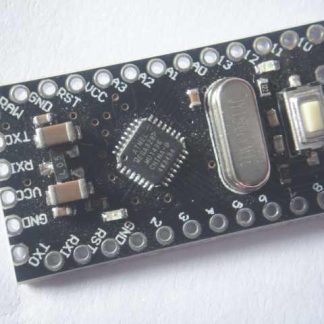
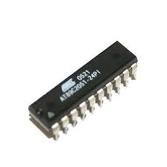
Heat Shrink Tube

Heat shrink tube is a mechanically expanded  plastic tube, which shrinks when heated. The tubing is placed over the connection to be protected and then heated with an oven, hot air gun or similar tools. This processes causes the tube to contract and it hold tight the surface or wire. This is a very good protector of wire joints, but it can catch fire.

Heat shrink tube comes in different color and diameter. typical shrink ratio is 2:1 providing a snug fit over irregularly shaped joints. This provides good electrical insulation, protection from dust, solvents and other foreign materials, as well as strain relief. If overheated, heat shrink tubing can melt, scorch or catch fire like any other plastic.

AVR ISP Header Pinouts

There are 6-pin and 10-pin versions. The pinouts are as follows;

AVR ISP header, 6 pin, plan view pinout AVR ISP header, 10 pin, plan view pinout

6-Pin header                                                                      10-Pin header

For those that are struggling with which way is up (it’s one of those things that once you know, you never question again), pretend that the diagrams above are plan-view photographs, and the pins are coming out of the screen towards you. You’d connect a cable by pushing it on towards the screen.

The following photographs might be useful;

annoatated 10 pin header pinout, plan view

plan view of a simple header

a fancy boxed header

boxed header with IDC socket inserted   boxed header with IDC socket inserted

with a ribbon cable                                   with a different lead

  • Pin 1 is often marked on the board/header in some way.
  • The red striped wire on a grey ribbon cable is always pin 1.
  • The ‘plugs’ on the ends of the ribbon cable are called ‘IDC Sockets’.
  • An IDC socket might have the ribbon exiting from either side.
  • The IDC sockets in the pictures don’t have locating lugs – They are heath-robinson affairs made by hacksawing apart a hard-drive cable.
  • The red striped wire on a grey ribbon cable identifies wire 1.
  • The ‘unconnected’ pin in the 10 pin header is sometimes used for other things, such as a logic-level serial output for debugging.
  • 6-pin headers are used on more modern prototyping boards and programmers.
  • 10-pin headers are still widely used, possibly because 10-pin boxed headers and IDC sockets are easier to get hold of.
  • 10-pin ribbon cables might (in theory) be more noise tolerant, as the RESET, SCK and MISO wires are interleaved between ground wires.
  • It’s advised to keep programming cables ‘short’. Mine are generally around 25cm long.
  • The “extra” ground pins are occasionally used for other purposes.
  • There is no compulsion to use these layouts on your board at all – but if you’re making a programmer, you’d be mad not to.
  • 6-pin headers obviously take up less board-space than 10-pin ones (did I really need to add this?).

Arduino Serial Board

Published by in AVR, Tutorial on May 7th, 2012

This is my first Arduino serial board. made successfully working great.

Auto reset is also working. Tested with Atmega8 chip.  When I made this board at home I have only Atmega8L-8PU, I searched the market but Atmega8A or Atmega8-16PU are not available. so I decided to go with Atmega8L and test this board with over clocking this AVR. Atmega8L supposed to run at 8MHz. running at double speed is not recommended. but it is working for LED blink example. and testing.  Initially auto reset was not working so I used manual reset button to upload sketches. But hear I want make a point for manual reset that when you click on upload button after that you should press reset button.

Arduino Serial Top

Arduino Serial Bottom


After this board I tried MAX232 replacing transistor for serial communication so I made another board with SMD version of MAX232 chip and rest through hole components. but it did’t work, never uploaded any sketches. tried manual reset and auto reset both without any success.

Arduino serial single sided board with SMD MAX232.


Things you should check for running Arduino Severino single sided board with

Atmega8 :

1. Select your computer serial port speed at 19200 bits per sec from advance port settings.

2. At Arduino IDE select Board ‘Arduino NG or older w/ ATmega8′ .

Atmega168:

1. Select your computer serial port speed at 19200 bits per sec from advance port settings.

2. At Arduino IDE select Board ‘Arduino Diecimila or Duemilanove w/ ATmega168′ .

Now you are done with all setting required to run those boards.

If auto reset is not working in your PC you can press reset button manually, after writing a sketch press upload button in IDE then press  the reset button on board.

Hope these information will help you run your board smoothly.


Start with AVR

Published by in AVR, Tutorial on October 23rd, 2011

coming soon!

8051 Tutorial

Published by in 8051, Tutorial on October 23rd, 2011

How to start with 8051 Microcontroller.

8051 is an easiest to learn and easily available microcontroller. First made by Intel, now lots of variant made by different vendors. like Atmel, NXP, Maxim-IC, Silabs and others.

We will discuss here Atmel and NXP chips and some times Dalas chip made by Maxim.  these are 8 bit microcontroller.

What we need to start with 8051. First we need some hardware like 8051 chip, programmer for downloading hex file to the chips. one development board or bread board. Then some software like compilers, assembler for creating hex file for our program if you want to work with C then compilers and for assembly there free Assembler.  If you are new in this field then go for an IDE where you will get all the things, code writing area, compiler, assembler and simulator inbuilt.

Download MIDE-51  which have every thing you need.  SDCC is an free and open source ANSI- C compiler. ASEM-51 is an free assembler for 8051. Keil C51 tools are also available. they are giving code size restriction software, check there site for more details.

Now some components  AT89S52 40Pin DIP 8K memory, AT89C2051 20Pin DIP 2K memory, P89V51RD2 40 Pin DIP with 64K memory. 10K resistor and 10uF capacitor for power on reset circuit. 10K resistor array 9Pin for port pull-up, 5V DC Power supply, Crystal 11.0592MHz 2 numbers 33 pf ceramic disk capacitor. I have selected this crystal value for serial communication baud rate generation ease. We can use 12MHz crystal if we no plan for serial communication.

Now you should have one of these programmers for downloading hex code in to microcontroller if you are planning to use Atmel controllers use this programmer this can program both AT89C and AT89S series . S series is serial programmable,  You can select NXP 8051 Controller which has 64K flash for your code and serial programmable.  you also need some 5mm or 3 mm LED’s and some Tactile keys. this will complete your hardware list.


Atmel 8051 Programmer

Powerful programmer for the Atmel 89 series of microcontrollers that includes 89C51/52/55, 89S51/52/55 and many more. With this article you can make your own programmer. This is a complete programming solution when it is attached to a suitable power supply and connected to your personal computer. Proload and Firmware Version 4.1 at 57600 speed.


Features

  • Supports major Atmel 89 series devices
  • Auto Identify connected hardware and devices
  • Error checking and verification in-built
  • Lock of programs in chip supported to prevent program copying
  • 20 and 40 pin ZIF socket on-board
  • Auto Erase before writing and Auto Verify after writing
  • Informative status bar and access to latest programmed file
  • Simple and Easy to use
  • Works on 57600 speed

Specifications

Dimensions: 76mm x 180mm (3″ x 7″)
Power Supply: 14-18V DC or 12-16V AC
Interface: RS-232, 9-pin D connector
Data Speed: 57600 bps, 8 bits, no parity, 1 stop, no flow control
File format: Intel 8-bit HEX
Program Sockets: 40 pin DIP – 0.6″ & 20 pin DIP 0.3″ ZIF socket
Software: Works on Windows 95, 98, Me, 2000, NT, XP

Introduction

Simple to use & low cost, yet powerful flash microcontroller programmer for the Atmel 89 series. It will Program, Read and Verify Code Data, Write Lock Bits, Erase and Blank Check. All fuse and lock bits are programmable. This programmer has intelligent onboard firmware and connects to the serial port. It can be used with any type of computer and requires no special hardware. All that is needed is a serial communication port which all computers have.

All devices have signature bytes that the programmer reads to automatically identify the chip. No need to select the device type, just plug it in and go! All devices also have a number of lock bits to provide various levels of software and programming protection. These lock bits are fully programmable using this programmer. Lock bits are useful to protect the progam to be read back from microcontroller only allowing erase to reprogram the microcontroller.

The programmer connects to a host computer using a standard RS232 serial port. All the programming ‘intelligence’ is built into the programmer so you do not need any special hardware to run it. Programmer comes with window based software for easy programming of the devices.

Supported Devices:
AT89C51, AT89LV51, AT89C52, AT89LV52, AT8C55, AT89LV55,
AT89S51, AT89LS51, AT89S52, AT89LS52, AT89S53, AT89LS53,
AT89S8252, AT89LS8252, AT89C55WD, AT89C1051, AT89C2051, AT89C4051

Note: Above information is taken from Prof. Sirichote site and all the details are available at his site for making this Do-it-yourself (DIY) programmer.


Welcome

We have learn from our experience that when a person starts learning embedded system, he or she require some very necessary tools like programmers, development boards and micro-controllers. These things are still not available in many places of India. Lots of free and open source programmer and projects available on the web, but make them working is another challenge for students. So we make things simpler and offering you low cost solutions like Programmers, Development boards  for trusted 8051,  Atmel AVR and Microchip PIC. You can start working with these controllers in a few days time.

© Ventor Technologies